

Smarter SoundCheck Sequences with Loops and Logic
 SoundCheck test sequences typically execute one step after another, but not every test needs to follow exactly the same path every time. Sometimes you need to repeat the same measurement at multiple positions or levels, or need to repeat a measurement while changing a test parameter. In other cases, you may want what happens next to depend on whether a measurement passes or fails.
Sequence loops and step logic make this possible. Much like loops and if/then statements in a programming language, they let you build repetition and decision-making directly into a SoundCheck sequence. This simplifies complex tests, increases automation, reduces sequence development time, and minimizes sequence maintenance.
Do more with fewer sequence steps
Loops are useful whenever the same group of measurements needs to be repeated while something changes, for example you might want to increase the stimulus level and re-test, make measurements at multiple frequencies, play different WAV files, or rotate a turntable between measurements to create a directivity plot. Rather than duplicating those steps throughout the sequence, you can create them once and place them inside a loop.
Consider a directivity measurement using a turntable. You might want to measure frequency response every 10 degrees through a complete rotation. Instead of creating 36 separate sets of measurement steps, you can create one set and loop it 36 times, with a turntable step changing the loudspeaker position on each pass.
This makes the sequence much easier to build and, importantly, much easier to maintain. If you later decide to add a distortion measurement, for example, you only need to add it once. Without the loop, that same change would have to be made correctly in all 36 sets of steps.
Automatically change parameters as you loop
Loops don’t have to repeat exactly the same test each time. Variables can be changed or incremented on each pass, allowing a sequence to systematically step through a range of test conditions.
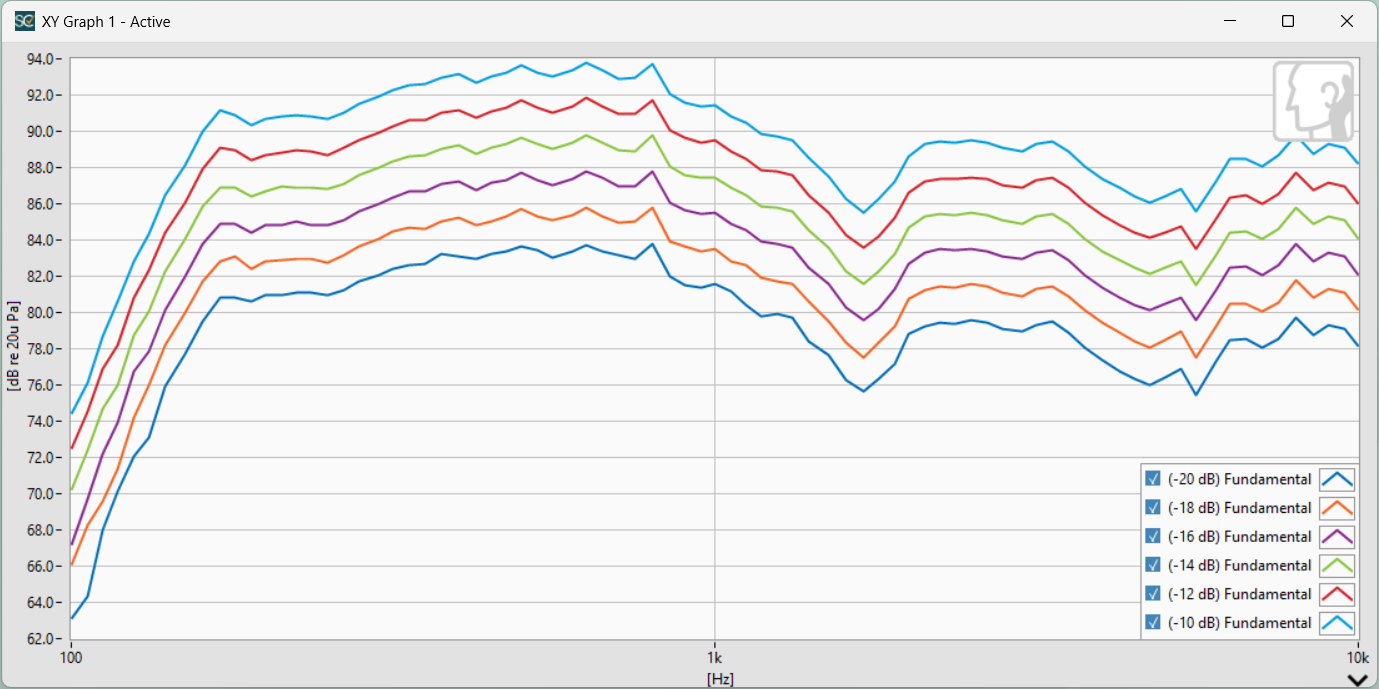
For example, the stimulus level could increase by 3 dB each time the loop runs. The same approach can be used to change frequencies, positions, operating conditions, or other test parameters. This makes it possible to automate an entire series of related measurements with a relatively compact sequence.
Use pass/fail results to control what happens next
Step logic adds another level of flexibility by allowing the sequence to change what it does according to conditions or results.
This can be as simple as responding to an operator choice. A dialog might ask whether a Bluetooth device needs to be connected. If the operator selects No, logic can skip the Bluetooth connection instructions and continue directly to the next relevant part of the test.
Logic can also respond to measurement results, for example whether a device passes or fails a limit.This allows the sequence to make decisions automatically rather than simply executing every step regardless of what has already happened. On a production line, a failed limit could bypass unnecessary remaining measurements and reject the product.
Combine Loops and Logic
Loops and logic are particularly powerful when they are used together. For example, a sequence could repeatedly increase stimulus level, measure the device, compare the result against a limit and use that result to determine whether to continue increasing the level or exit the loop. This is used in our AES 75 measurement test sequence and our automotive Max SPL at 10% distortion test sequence. Both of these rely on sequence loops and logic to incrementally increase a test signal until distortion exceeds a certain level, then iterate in smaller increments to ascertain the level with tighter precision, before progressing to the next measurement.
Automating sequences with loops and logic like this results in a high degree of automation, with a test sequence that responds intelligently to the device, measurement results or operator input rather than simply executing every step in a fixed order. It also makes sequences shorter, faster and easier to create and maintain, and much more adaptable.
Learn how to use loops and logic in SoundCheck
If you’re interested in simpler, faster, more automated test sequences, check out our Knowledgebase article, “Using Loops and Logic in SoundCheck Sequences.” It explores how to configure various loop and logic options including “Jump on Pass”, “Jump on Fail”, “
After n Repetitions” and the “Loop Index”, with examples showing how these features can be applied to real-world SoundCheck tests.


