

Introduction
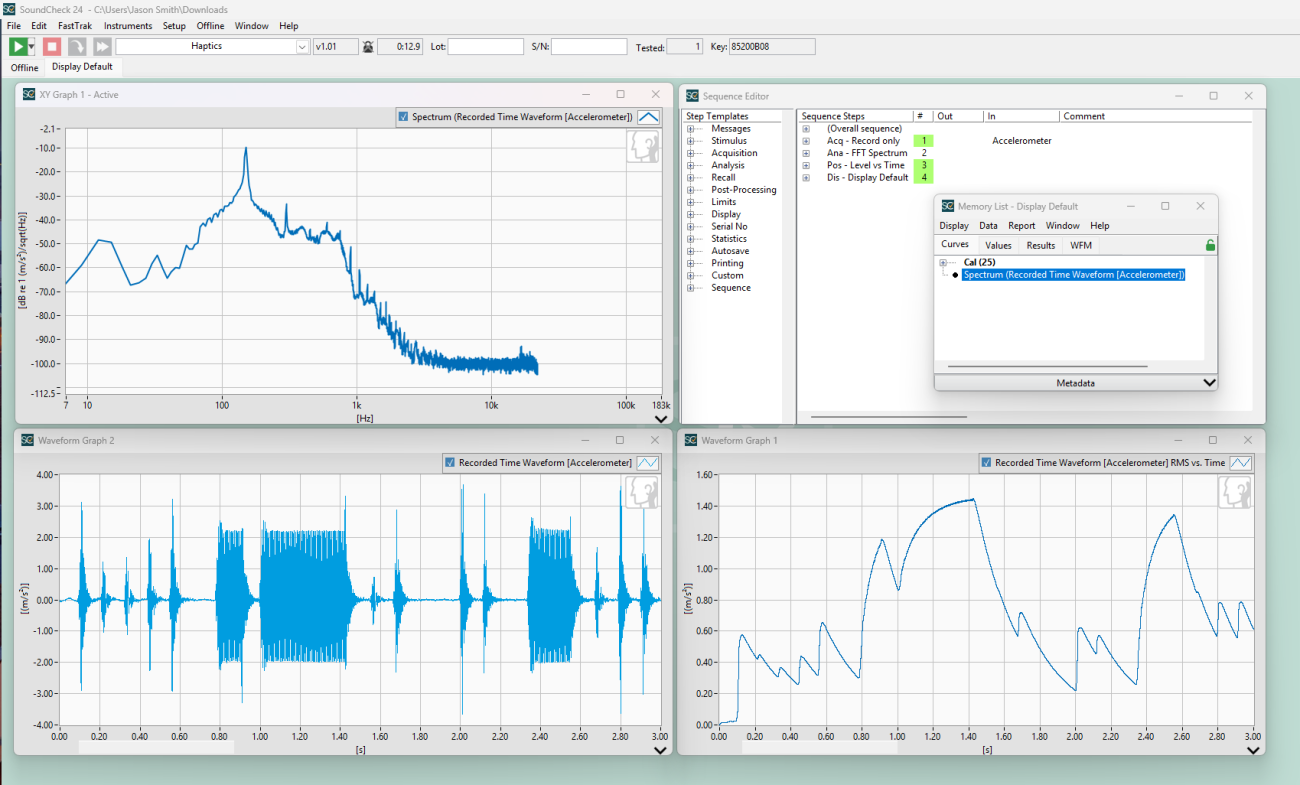
This sequence is designed to measure and analyze the physical vibration profile of haptic devices (such as smart phones, smart watches, or linear motors). Because the haptic playback is initiated and controlled on the device under test (DUT) rather than by SoundCheck, this is configured as an asynchronous, open-loop measurement using a triggered acquisition. The sequence records the raw vibration signal in the time domain using an accelerometer and applies a Fast Fourier Transform (FFT) and post-processing to analyze the spectral response and show level vs. time.
Software Requirements
- SoundCheck Plus version 24 or higher part #1102
Hardware Requirements
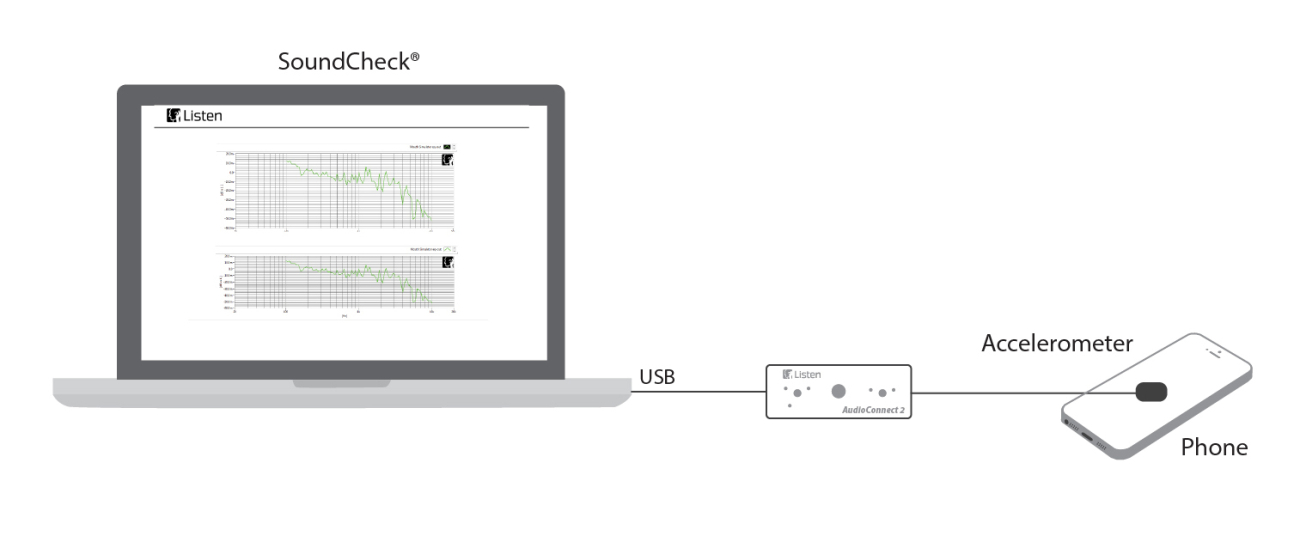
- Audio Interface – AudioConnect 2 (Part # 4047) or similar
- Measurement Accelerometer – such as Brüel & Kjær 4534 B or similar
System Diagram
Hardware Setup & Calibration
- Enable IEPE bias on Input 1 of the audio interface.
- Connect the accelerometer to Input 1 of the audio interface.
- Calibrate the accelerometer using TEDS or a physical calibrator (such as a B&K 4294) as instructed in the SoundCheck manual.
- Secure the accelerometer to the DUT with sticky tack or bees wax.
- Configure/load vibration patterns onto the DUT.
- Verify the Record Trigger parameters are appropriately set for your test in the Acquisition step. You are ready to start the sequence.
Further Sequence Development
Ways in which you could modify or further develop the sequence include:
▪ Additional analysis can be done to show level vs time, sensitivity, resonant frequency, and more depending on your DUT and desired metrics. Limits can be set as well to pass/fail units on a production line.
▪ This sequence only measures a single accelerometer channel, but could be modified to measure an additional accelerometer input or a measurement microphone to capture the acoustic signature as well.
▪ If you’re the phone manufacturer with full access to the device, you can control this directly from SoundCheck with a Python script or via TCP/IP. Other devices such as shakers can be excited by simply sending voltage directly from SoundCheck via a calibrated amplifier such as the one built into Listen’s AmpConnect 621.


